
A Federated, AI-Enhanced Data Catalog for All Your Data
Discover. Understand. Govern.
From Excel to APIs, from legacy systems to LLM-powered interfaces.
The better an organization understands and uses its data, the better it is able to make decisions and discover new opportunities. Many organizations hold massive quantities of data, but it often gets stuck inside organizational silos where its importance is invisible, origins untracked, and existence unknown to those elsewhere in the organization who could improve or derive further value from it.
Magda is a data catalog system that provides a single place where all of your organization’s data can be catalogued, enriched, searched, tracked and prioritized - whether big or small, internally or externally sourced, available as files, databases or APIs. With Magda, your data analysts, scientists and engineers can easily find useful data with powerful discovery features, properly understand what they’re using thanks to metadata enhancement and authoring tools, and make data-informed decisions with confidence as a result of history tracking and duplication detection.
Let your data mingle!
Magda is designed around the concept of federation - providing a single view across all data of interest to a user, regardless of where the data is stored or where it was sourced from. Where other data catalogs are designed around their creators’ other data products or implement federation by simply copying external datasets internally, federating over many data sources of any format is at the core of how Magda works. The system is able to quickly crawl external data sources, track changes, make automatic enhancements and push notifications when changes occur, giving your data users a one-stop shop to discover all the data that’s available to them.
Don’t neglect your small data
Investment in data often focuses on extracting value from big data - big, complex datasets that are already known to be of high value. This focus comes at the expense of small data - the myriad Excel, CSV and even PDF files that are critical to the operations of every organization, but unknown outside the teams and individuals that use them.
This results in squandered opportunities as small datasets go undiscovered by other teams who could make use of or combine them, fragmentation as files are shared and modified via untracked, ad-hoc methods, and waste as datasets are collected or acquired multiple times, often at extreme expense.

Magda is designed with the flexibility to work with all of an organisation’s data assets, big or small - it can be used as a catalog for big data in a data lake, an easily-searchable repository for an organization’s small data files, an aggregator for multiple external data sources, or all at once.
✨ What’s New in Magda 6
Magda 6 makes the catalogue accessible not only to people through the browser, but to coding agents working on their behalf — while keeping people accountable for judgement and consequential decisions.
🤖 mgd — the Magda command-line interface
mgd is a governed interface to the catalogue for the terminal and for coding agents. It lets a person — or an agent acting under their direction — move from discovering data to producing inspectable work. mgd supports:
- catalogue search and record inspection;
- distribution discovery and downloads;
- data API access;
- machine-readable output for automation and inspection;
- authenticated catalogue operations;
- custom-aspect discovery, reuse and management;
- skills that help coding agents discover the relevant workflows and domain guidance without loading every operation into context at once.
Agents carry operational work and return inspectable evidence — sources, methods, assumptions, errors and open questions. People remain responsible for purpose, desirability, domain judgement and consequential decisions.
See it in action — a coding agent using mgd turns a 1.74 GB text grid into interactive terrain:
Read the story behind this workflow: Data Is Available. Can Your AI Assistant Help You Actually Use It?
🧠 In-Browser LLM Chatbot
Explore your data with natural language:
- Ask questions like “Which region had the highest rainfall in 2023?”
- Perform tabular analysis and get charts & summaries
- All processed privately in-browser via WebGPU
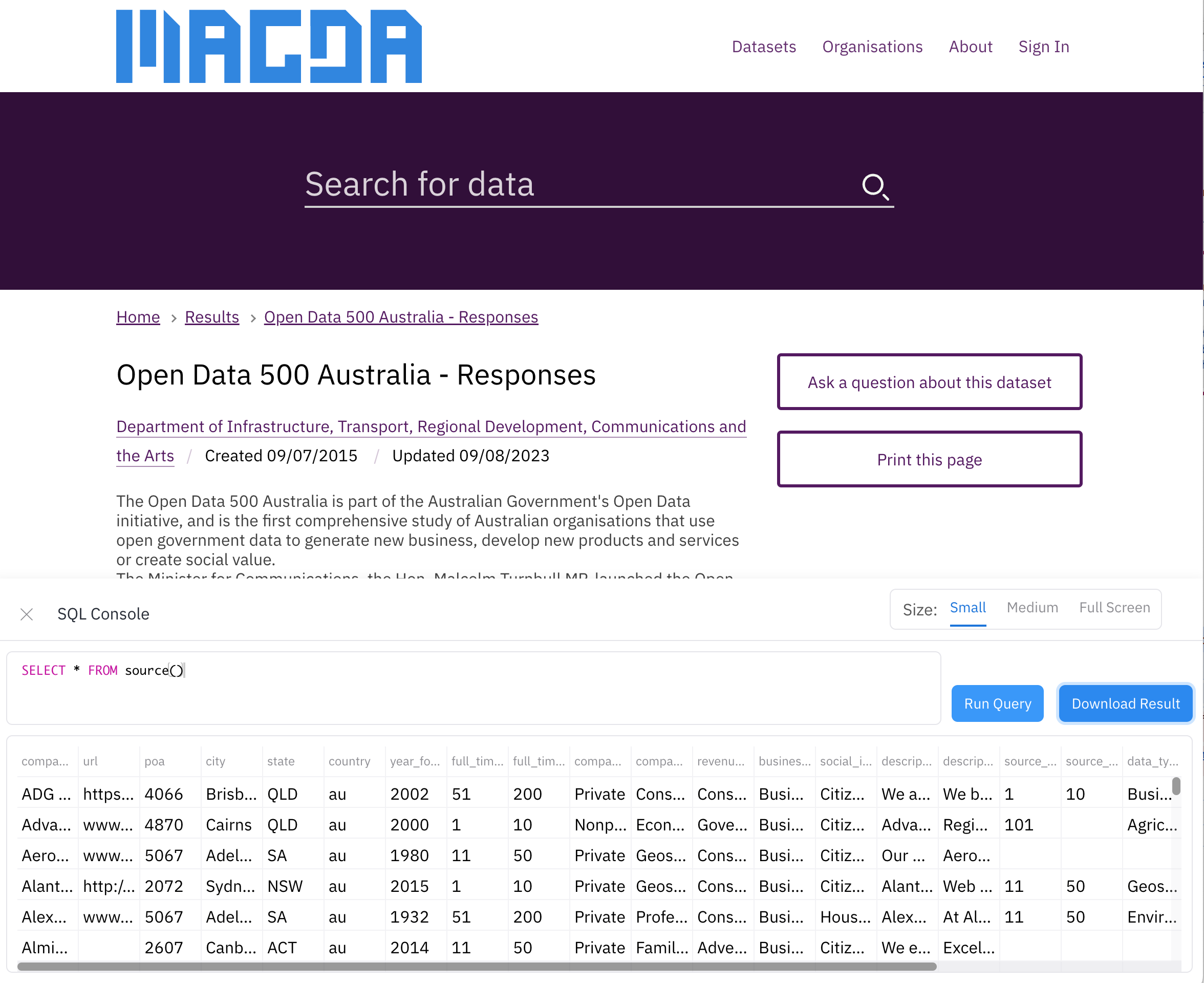
📊 SQL Console in Your Browser
Query data without backend setup:
- Supports Excel, CSV, and more
- Powered by in-browser SQL execution
- One-click export to CSV
Search and semantic indexing
Magda combines complementary retrieval strategies so results match the meaning of a query, not just its keywords:
- Hybrid catalogue search — vector similarity combined with lexical BM25 ranking, handling synonyms, fuzzy phrasing and structured filters.
- Semantic search — retrieval over meaning, so related datasets surface even when they don’t share exact terms.
- PDF and CSV indexers supplied with a standard Magda 6 deployment, so common document and tabular content becomes searchable out of the box.
- A semantic-indexer framework and published SDK for teams that need format-specific or custom indexing strategies:
@magda/semantic-indexer-sdk. - Building a custom indexer? See How to build a semantic indexer.
An indexer’s job is representation: turning useful domain content into text suitable for retrieval, rather than treating every file format identically. Not every possible format becomes content-searchable automatically — the SDK exists precisely so teams can add the representations that matter to them.
Try Magda
You don’t need to deploy anything to try Magda. dev.magda.io is Magda’s public demo catalogue — it currently federates more than 100,000 public dataset records from government and research organisations, and anyone can search and inspect it in the browser.
To explore it from the terminal or with a coding agent, configure an anonymous mgd profile — no API key or deployment required.
Start with a topic that matters to your own work, and see how far you can get from discovery to a first useful inspection.
Where to go next
- Read the story: Data Is Available. Can Your AI Assistant Help You Actually Use It?
- Try it live: dev.magda.io
- Use
mgd: the Magda command-line interface - Install Magda: run it locally on minikube
- Latest release notes: github.com/magda-io/magda/releases
Features
Discovery
The easiest way to find a dataset is by searching for it, and Magda puts its search functionality front and centre. Magda was originally developed for the Australian Government’s open data portal data.gov.au, where it supported discovery and access to over 100,000 datasets during its deployment between 2019 and 2025. Although this contract concluded in June 2025, Magda remains an open-source platform powering new innovations across public and private sectors worldwide.
When users search they expect the result to be the best result for the meaning of their query, not simply the one with the most keyword matches. Magda is able to return higher-quality datasets above lower-quality ones, understand synonyms and acronyms, as well as search by time or geospatial extent.
Federation
Magda is designed from the ground-up with the ability to pull data from many different sources into one easily searchable catalog in which all datasets are first-class citizens, regardless of where they came from. Magda can accept metadata from our easy-to-use cataloging process, existing Excel or CSV-based data inventories, existing metadata APIs such as CKAN or Data.json, or have data pushed to it from your systems via its REST API.
In Magda, all data is first-class regardless of its source. Data in Magda is combined into one search index with history tracking and even webhook notifications when metadata records are changed.
Previews
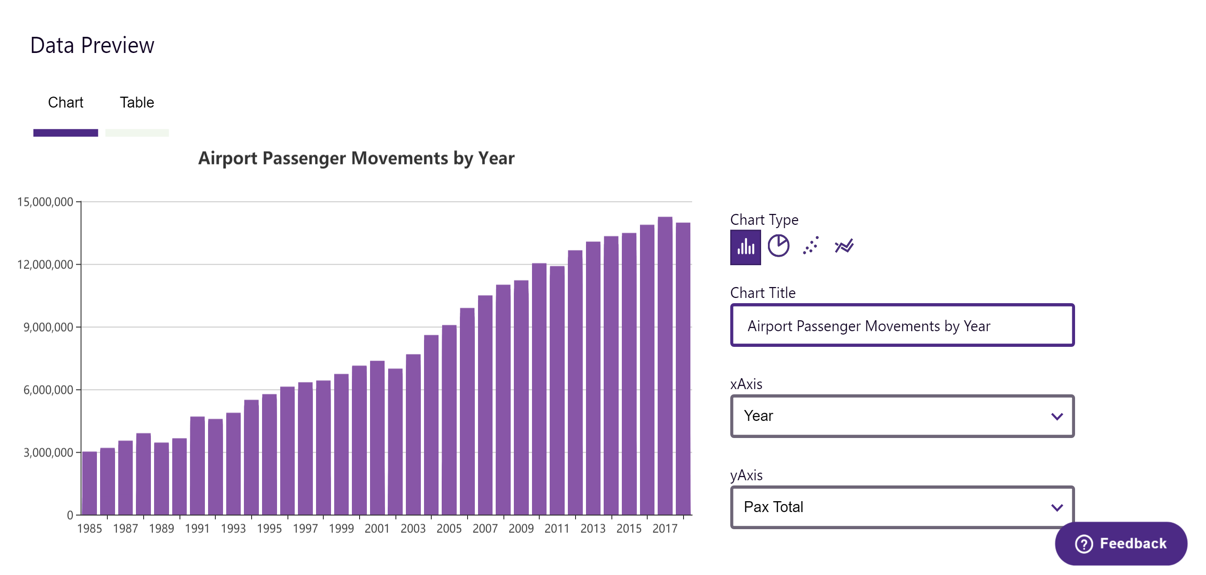
Easily determine if a dataset is useful with charting, spatial preview with TerriaJS and automatic charting of tabular data.
Metadata enhancement
Authoring of high-quality metadata has historically been difficult and time-consuming. As a result, metadata around datasets is often poorly formatted or completely absent making them difficult to search for and hard to understand once found.
Magda is able to automatically derive and enhance metadata, without the underlying data itself ever being transmitted to a Magda server. For datasets catalogued directly, our “Add Dataset” process is able to read and derive data from files directly in the browser, without the data itself ever having to leave the user’s machine, and for both internal and external datasets our minion framework is able check for broken links, normalize formats, calculate quality, determine the best means of visualisation and more. This framework for enhancement is open and extensible, allowing to build your own enhancement processes using any language that can be deployed as a docker container.
Open architecture
Magda is designed as a set of microservices that allow extension by simply adding more services into the mix. Extensions to collect data from different data sources or enhance metadata in new ways can be written in any language and added or removed from a running deployment with little downtime and no effect on upgrades of the core product.

Easy set up and upgrades
Magda uses Kubernetes and Helm to allow for simple installation and minimal downtime upgrades with a single step. Deploy it to the cloud, your on-premises setup or even your local machine with the same set of commands.
Federated authentication
Based on PassportJS, Magda’s authentication system is able to integrate with a wide and growing range of different providers. Currently supported are:
- CKAN
- AAF
- VANguard (WSFed)
- ESRI Portal
- Okta
You can also develop your own authentication plugins to customise the authentication or user onboarding process. More information can be found from the authentication-plugin-spec document.
A better way to manually catalog datasets
Authoring a quality dataset is hard - not only does it involve a lot of manual work, but it also requires a great deal of up-front knowledge and data literacy. Magda provides a guided, opinionated and heavily automated publishing process that makes publishing easier and improves metadata quality, so datasets are easier to search and use for data users downstream.
Reducing duplication
Often the use of ad-hoc sharing mechanisms such as email or USB disks results in multiple copies of a dataset being modified in parallel, and poor historical visibility of an organization’s data holdings leads to external data being bought multiple times by different teams. Magda helps identify and mitigate duplication, without the need for the data itself to be stored on Magda.
Authorization: Share data with confidence
Magda includes an integrated, customizable authorization system based on Open Policy Agent, which allows:
- Datasets can be restricted based on established access-control frameworks (e.g. role-based), or custom policies specified by your organization
- Federated authorization lets Magda not only pull data from an external source, but also mimic the same authorization policies, so that what you see from that system on Magda is exactly the same as if you logged into it directly
- Integrates seamlessly with search - only get back results that you have access to
Work with us
We’re always looking to help more organizations use their data better with Magda!
If you’d like to become a co-creation partner, want our help getting up and running, or want to sponsor specific features, we’d love to talk to you! Please get in contact with us at [email protected]. You can also ask questions in Our Github Discussions forum.
Interested in expert support or co-developing features? Learn more about how we support the community and our clients.
Magda is also completely open-source and can be used for free - to get it running, please see the instructions below. Don’t forget to let us know you’re using it!
Who’s Used Magda
Magda has powered national- and state-level data portals, research infrastructure, and public sector data ecosystems. Some of the organizations that have deployed or are using Magda include:
- Digital Transformation Agency and later the Australian Bureau of Statistics – Deployed & Managed Magda platform for data.gov.au from 2019 to June 2025
- CSIRO Land and Water – Knowledge Network V2
- Department of Agriculture – Private instance
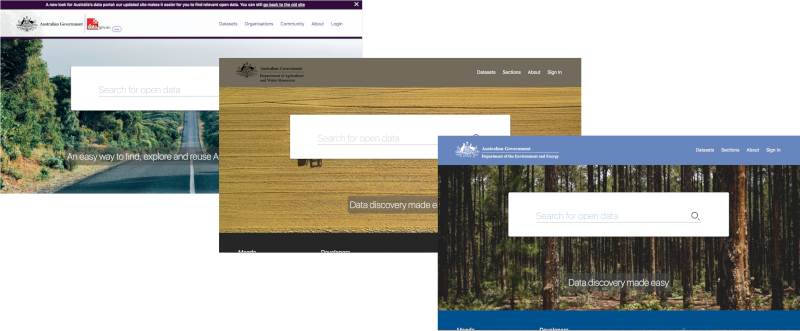
- Department of the Environment and Energy – Private instance
- NSW Department of Customer Service – NSW Spatial Digital Twin
- QLD Department of Natural Resources, Mines and Energy – QLD Spatial Digital Twin
- NSW Audit Office – Council Risk IQ Project
Magda is used in a variety of contexts — from open data portals serving national audiences, to private, domain-specific platforms supporting research workflows and scientific discovery. Its flexibility makes it a good fit for governments, research agencies, and enterprises that need to integrate diverse datasets across complex technical landscapes.
Alongside the open-source project, we develop Magda++, a proprietary platform built on the Magda open-source core and tailored for scientific research. Open-source Magda is a general-purpose, federated catalogue for open and enterprise data — and, with mgd, increasingly accessible to coding agents working alongside the people responsible for the outcome. Magda++ builds on that core with specialised AI/ML capabilities and more powerful models for interactive scientific discovery and domain-specific analysis — for example, AI-assisted food value chain optimisation spanning genomic, agricultural and environmental data.
Magda++ also brings traditional ML models into the same workflow, treating a trained model as another view of the data. Such models can expose hundreds of dimensions that are hard to steer by hand, so an agent helps translate high-level concepts — for example, a stronger La Niña — into the concrete model inputs they map to, such as higher rainfall and temperature, and interpret the results back into terms a researcher can reason about. Research organisations interested in Magda++ can get in touch.
These deployments shaped Magda’s evolution and validated its capabilities in real-world, mission-critical environments.
Want to get it running yourself?
Install Magda with Helm (use minikube for a local test cluster). To evaluate Magda locally with the published chart — no repository checkout or image builds required — follow the Running Magda on Minikube guide. The example below shows the shape of the command:
# create a namespace "magda" in your cluster
kubectl create namespace magda

# install the latest Magda release to namespace "magda", turn off openfaas function and expose the service via loadBalancer
# (Helm installs the latest stable version by default; add --version <x.y.z> to pin a specific release)
helm upgrade --namespace magda --install --timeout 9999s --set magda-core.gateway.service.type=LoadBalancer magda oci://ghcr.io/magda-io/charts/magda
Since v2, we release our helm charts to Github container registry:
oci://ghcr.io/magda-io/charts
You can find out the load balancer IP and access it:
echo $(kubectl get svc --namespace magda gateway --template "{{ range (index .status.loadBalancer.ingress 0) }}{{ . }}{{ end }}")
If you are interested in playing more, you might find useful docs from here. Particularly:
- Running Magda on Minikube — evaluate Magda locally with the published chart, no build required
- End-to-End Full Cluster Deployment Test — a contributor-focused runbook for verifying a release end-to-end (purge, fresh install, health checks, authenticated round trips)
- Magda Charts Docs Index
- How to create a local testing user
- How to set a user as admin user
You might also want to have a look at this tutorial repo:
https://github.com/magda-io/magda-brown-bag
Or find out more on: https://magda.io/docs/building-and-running if you are interested in the development or play with the code.
Want to build your connectors / minions?
You can extend Magda’s functionality by building your own customised connectors / minions.
Want to build your authentication plugins?
You can add support to different authorization servers / identity providers or customise the user on-boarding process by building your own customised authentication plugins.
Latest Release
v7.1.1, released at 2026-11-04 06:32:02 UTC
Open Source
Magda is fully open source, licensed under the Apache License 2.0. Thanks to all our open source contributors so far:
















We welcome new contributors too! please check out our Contributor’s Guide.
Important links
- Our Github
- Magda API Reference
mgdCLI (terminal & coding-agent catalog access)- Magda Helm Chart Reference
- Useful common documentations
- Other documentations
- How We Support the Community and Our Clients
- Ask Questions on Our Github Discussions forum
The project was started by CSIRO’s Data61 and Australia’s Department of Prime Minister and Cabinet. It’s progressing thanks to Data61, the Digital Transformation Agency, the Department of Agriculture, the Department of the Environment and Energy and CSIRO Land and Water.